


GPS Maps Voice Navigation App
4.836.00 Reviews
App Specs
- Version
- 4.2.1
- Updated On
- License
- Free
- Downloads
- 5,000,000+
- Developer
- GeniusTools Labs
- Categories
- Maps & Navigation
- Platform
- Android
Screenshots
 Analysis by AppCompare
I tend to judge navigation apps by what happens when I’m in a hurry, not by how many tools fit on the screen. GPS Maps Voice Navigation is a free maps and navigation app from GeniusTools Labs, and its mix of route guidance, location finding, weather, a compass, and a clock makes it feel broader than a basic turn-by-turn tool. Its strongest appeal is convenience: it brings several travel-related functions together, though it is worth treating the extra tools as companions to navigation rather than assuming they replace a dedicated map service.
Getting Started with the App
The first thing that caught my eye was how easy it is to get started with GPS Maps Voice Navigation. You just have to download it from the App Store or Google Play, and boom, you’re ready to roll! The installation process is pretty straightforward—no complicated setups or unnecessary permissions. It’s like the app just knows you’re eager to get going.
Once you open it, you’re greeted with a clean and intuitive interface. I appreciate how everything is neatly organized, making it super easy to navigate, even for someone who isn’t particularly tech-savvy. It’s like having a personal guide that doesn’t judge you for not knowing your north from your south.
Features That Make It Stand Out
Now, let’s talk about the features because this is where the app truly shines. First off, the voice navigation is crystal clear. You can choose from different voice options, which is a neat touch if you want to mix things up a bit. I personally went with the friendly British accent because it makes me feel like I’m on a fancy European road trip, even if I’m just going to the grocery store.
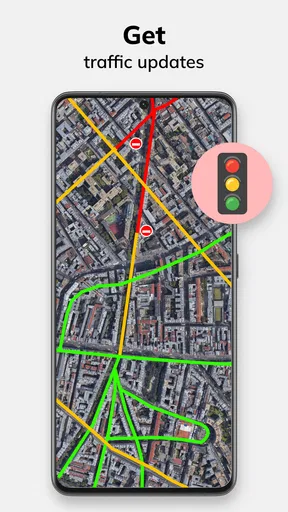
Another cool feature is the real-time traffic updates. I cannot stress enough how much this has saved me from getting stuck in those dreaded traffic jams. The app gives you alternative routes if there’s a hold-up on your usual path, and trust me, that’s a lifesaver during rush hour.
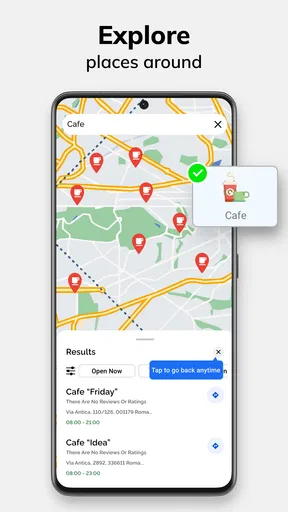
Need to find a gas station or a coffee shop on the way? No problem! The app’s Points of Interest feature makes it super easy to locate anything you might need during your journey. It’s like having a co-pilot who knows all the best spots.
Navigation Experience
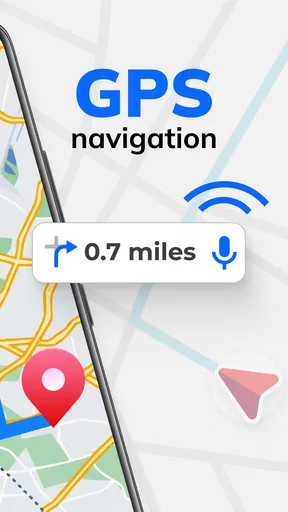
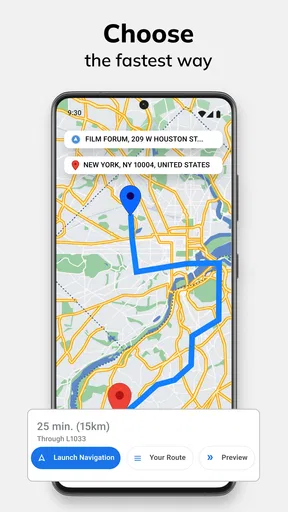
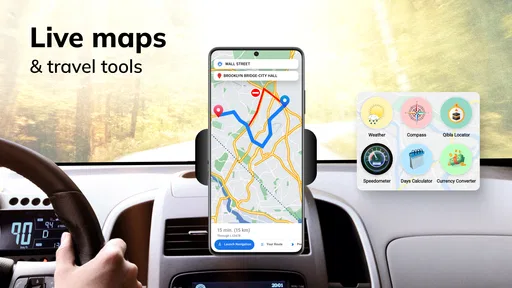
Using the navigation is a breeze. You just plug in your destination, and the app does the rest. The turn-by-turn directions are precise, and the voice prompts are timely, ensuring you never miss an exit. One of my favorite things is how the app automatically recalculates your route if you make a wrong turn. No more stressful detours!
Worth Reading Before You Choose

EA SPORTS FC Mobile 26 Is a Bigger Football Game, but It Takes Time

Flipboard Shows What News Apps Must Do Beyond the Feed

Switching to Android Auto Means Rethinking Your Driving Routine

Google Calendar Makes a Crowded Week Easier to Manage

Ludo King Makes the Most of the Minutes Between Plans

Baby Panda World Brings Quick Play to Modern Phones, but Its Game Library Feels Busy
The maps are detailed and up-to-date, which is crucial when you’re trying to find a new place. I’ve noticed that it also works well in areas with spotty signal, and that’s a huge plus for those of us who love road trips into the unknown.
User-Friendly Interface
Let’s talk about the interface a bit more because it deserves a shoutout. The design is sleek, with just the right amount of detail. You can customize the display settings to suit your needs, whether you prefer a day or night mode. The icons are large and clear, making it easy to glance over without taking your eyes off the road for too long.
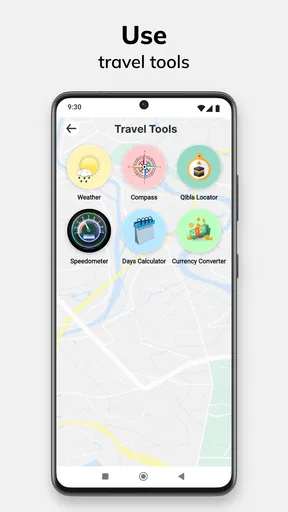
There’s also a handy speedometer feature that alerts you if you’re going over the speed limit. It’s like having a little angel on your shoulder reminding you to slow down, which is great for keeping those pesky speeding tickets at bay.
Everyday Trips and Useful Workflows
The app makes the most sense for ordinary journeys where I want directions without turning the trip into a planning project. If I’m heading to an unfamiliar appointment, I can enter the destination before leaving, check the suggested route, and let voice guidance handle the next turns. That leaves the screen for occasional glances rather than constant map-reading. I still set off with enough time to spare; a route update can help me react to changing conditions, but it cannot guarantee that a trip will run smoothly.
A useful habit is to check the destination and route while parked, especially when I expect to stop along the way. If I need fuel or a coffee break, the points-of-interest search can help me look for a place without improvising while driving. I would make that stop decision before moving, then return to the route. It is a small change in workflow, but it keeps the app’s convenience from becoming a distraction.
The compass and clock are most valuable as quick orientation tools rather than reasons to keep switching screens. On a walk around an unfamiliar area, for example, a compass can help me understand which way I’m facing, while the map remains the main guide. Weather information is similarly handy for deciding whether to bring a layer before heading out. These extras suit short checks; for detailed weather planning or specialist navigation, I would use a dedicated tool instead.
Speed Expectations and Busy Moments
I would approach the app as a practical guide, not as a promise that every screen or route update will appear instantly. Navigation depends on a phone’s location and the conditions around it, so performance can feel different from one trip to another. A clear route entered before departure is a better starting point than trying to configure everything at a junction. That preparation also gives me a chance to review where I’m going before I need to concentrate on traffic.
During a busy drive, voice prompts matter more than decorative map detail. I find that the useful question is not whether the app can show plenty of information, but whether I can understand the next instruction at a glance. Keeping the phone secure and avoiding menu changes in motion are sensible habits with any navigation app. If I miss a turn, route recalculation is reassuring, but I would still pull over safely if I needed to make a more involved change.
Traffic updates and alternate routes can be helpful when a familiar commute slows down, yet I would not automatically take every proposed detour. A route that looks shorter on the map may involve roads I do not know or turns that are harder to manage. I compare the suggested change with the kind of drive I’m comfortable making, especially in poor weather or at night. The feature is most useful as a prompt to reconsider the route, not an order to follow without judgment.
Reliability, Signal, and Recovery
For me, reliability means more than a confident voice prompt. It includes being able to recover calmly after a missed turn, a weak location signal, or a change of plan. The app’s route recalculation is useful in the first situation, because I can continue toward the destination rather than panic about having ruined the trip. If location readings seem uncertain, I would give the phone a moment and check the map in a safe place instead of making a sudden maneuver based on a confusing instruction.
Its reported usefulness in areas with spotty signal is encouraging for road trips, but I would not treat that as a reason to rely on a phone as my only preparation in remote places. Before leaving a strong-coverage area, I would make sure I know the broad route and have enough battery for the journey. Drivers who routinely travel where connectivity is unreliable should compare it with a navigation option that clearly supports the offline maps they need. That is a meaningful distinction, not a minor preference.
Plans can change midway through a trip, too. If a friend sends a different meeting place or I decide to stop somewhere, I prefer to revise the destination while parked. That reduces the chance of tapping the wrong result under pressure. The app is a useful aid for adapting, but good recovery still comes from pausing, checking the route, and choosing a safe place to continue.
Who It Suits—and When I’d Choose Something Else
I can see this app working well for drivers who want straightforward voice-led directions and appreciate having location, weather, compass, and clock tools nearby. It is also approachable for someone who finds feature-heavy navigation screens intimidating. A local commute, an errand across town, or a weekend drive to an unfamiliar address are the kinds of trips where its combination of guidance and quick reference tools feels natural.
On the other hand, I would not make it my sole choice if I needed specialized route planning, dependable offline navigation, or a particular set of map details that I already get from a dedicated service. The usual alternatives may be better for people deeply invested in a familiar maps ecosystem, or for trips where they depend on saved places and established routines. Switching is worthwhile only if this app’s simpler, bundled approach solves a real inconvenience; installing another navigator just to duplicate existing habits may not improve anything.
There is also a difference between helpful extras and essential navigation. A compass can orient me, but it does not replace a clear route. A speed display can encourage awareness, but it should not distract me or substitute for observing road signs and conditions. I treat the app’s information as assistance, not authority, and keep driving decisions grounded in what I can safely see.
Device Fit, Cost, and Practical Limits
The app is rated for Everyone and supports devices running version 7.0 or later, which gives it a broad potential audience. It is free to install, while in-app purchases range from $0.99 to $99.99 per item. I would check the purchase details in the app before paying for anything and consider whether the free experience already covers my normal trips. The range makes it sensible to avoid assuming that every function or option is included at no cost.
GPS use can place practical demands on a phone during a long drive, particularly when the display stays on and voice directions are playing. I make a point of starting a trip with a charged device and using a stable mount so I can hear prompts without handling the phone. Those are good habits for navigation in general, but they matter even more when a trip is long or the destination requires frequent turns. I would not judge a navigation app’s usefulness by a quick launch alone; sustained comfort and safe use matter more.
For readers comparing popularity, the app has an average rating of 4.8 from around 15 thousand ratings and has passed one million installs. It is currently at version 1.61 and was released on May 24, 2022. Those figures give some context about its reach, but they cannot tell me whether its route choices match my own local needs. I would test it on a familiar, low-pressure trip before depending on it for an important appointment or a long drive.
Final Thoughts
All in all, GPS Maps Voice Navigation is a solid choice for anyone looking for a reliable and user-friendly navigation app. Whether you’re commuting to work or exploring new territories, this app has got you covered. With its sleek design, accurate voice navigation, and real-time traffic updates, it’s like having your own personal guide.
So, if you’re tired of getting lost or stuck in traffic, give this app a go. It’s like having a trusty sidekick in your pocket, ready to lead the way. Happy travels!
My final recommendation is to treat it as a convenient everyday navigator and judge it on a route you already know. That lets you see whether its directions, screen layout, and extra tools suit your habits without putting an important journey at risk. For casual driving and quick orientation, the package has a clear appeal; for demanding trips where offline access or specialized planning is essential, I would choose a service built around those needs. Used with sensible preparation, this is an approachable option that can make routine journeys feel less fiddly.
Pros
- Easy to use
- intuitive interface.
- Accurate real-time traffic updates.
- Includes offline map functionality.
- Customizable voice guidance options.
- Supports multiple languages seamlessly.
Cons
- Heavy battery usage during navigation.
- Occasional GPS signal loss in urban areas.
- In-app ads can be intrusive.
- Limited features in free version.
- Requires regular updates for accuracy.
FAQs for GPS Maps Voice Navigation App
What features does the GPS Maps Voice Navigation App offer?
The GPS Maps Voice Navigation App provides real-time GPS tracking, voice-guided navigation, and offline maps. It also offers traffic updates, route optimization, and points of interest along your route. Additionally, users can customize map views and save favorite locations for future reference.
How accurate is the GPS tracking in this app?
The app uses advanced GPS technology to provide accurate location tracking. It updates your position in real-time with minimal delay. However, its accuracy can be affected by factors such as signal strength, weather conditions, and physical obstructions like tall buildings or tunnels.
Can the app be used offline?
Yes, the GPS Maps Voice Navigation App allows users to download maps for offline use. This feature is particularly useful when traveling in areas with limited or no internet connectivity. Users can still access basic navigation features and saved routes while offline.
Is the app compatible with both Android and iOS devices?
Absolutely, the GPS Maps Voice Navigation App is available for both Android and iOS platforms. It offers a seamless user experience across different devices, ensuring that users can access their navigation needs regardless of their smartphone choice.
Does the app provide traffic updates and route optimization?
Yes, the app includes real-time traffic updates to help users avoid congested routes. It offers dynamic route optimization by recalculating routes based on current traffic conditions, ensuring you reach your destination as quickly and efficiently as possible.


